Turn what you learn
into who you are.
The only app that syncs your knowledge with your schedule.
Get perfectly-timed Moments that turn insights into action.


Our Approach
From passive reading to behavior change in just a few steps.
Build Your Wisdom Library
Capture insights you'd like to take action on, from books, podcasts, articles and more.
Sync With Your Day
Connect your calendar to let Instyll find the perfect moments to surface your learnings.
Contextual Reminders
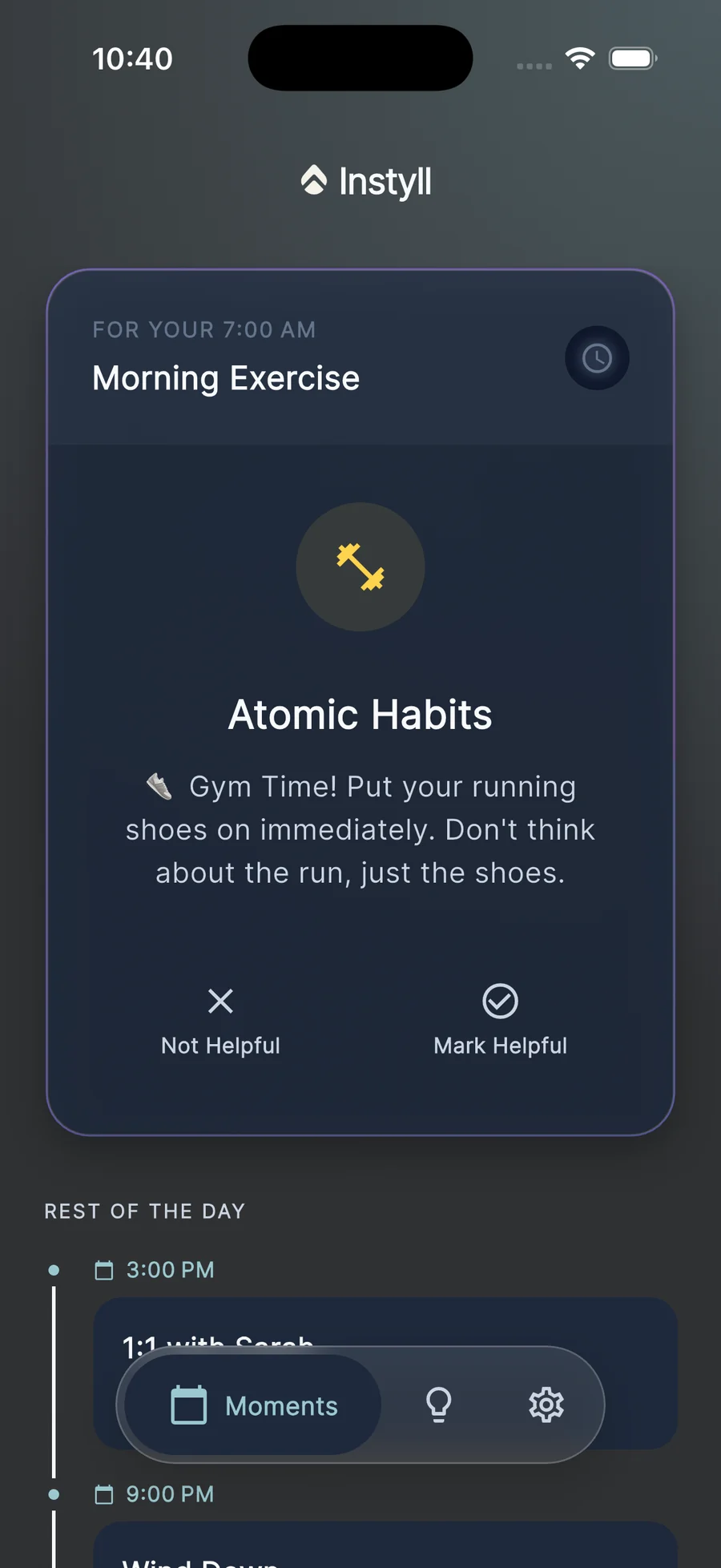
Instyll tells you exactly how to apply your learnings to specific events on your calendar right when you need it.
How it Works
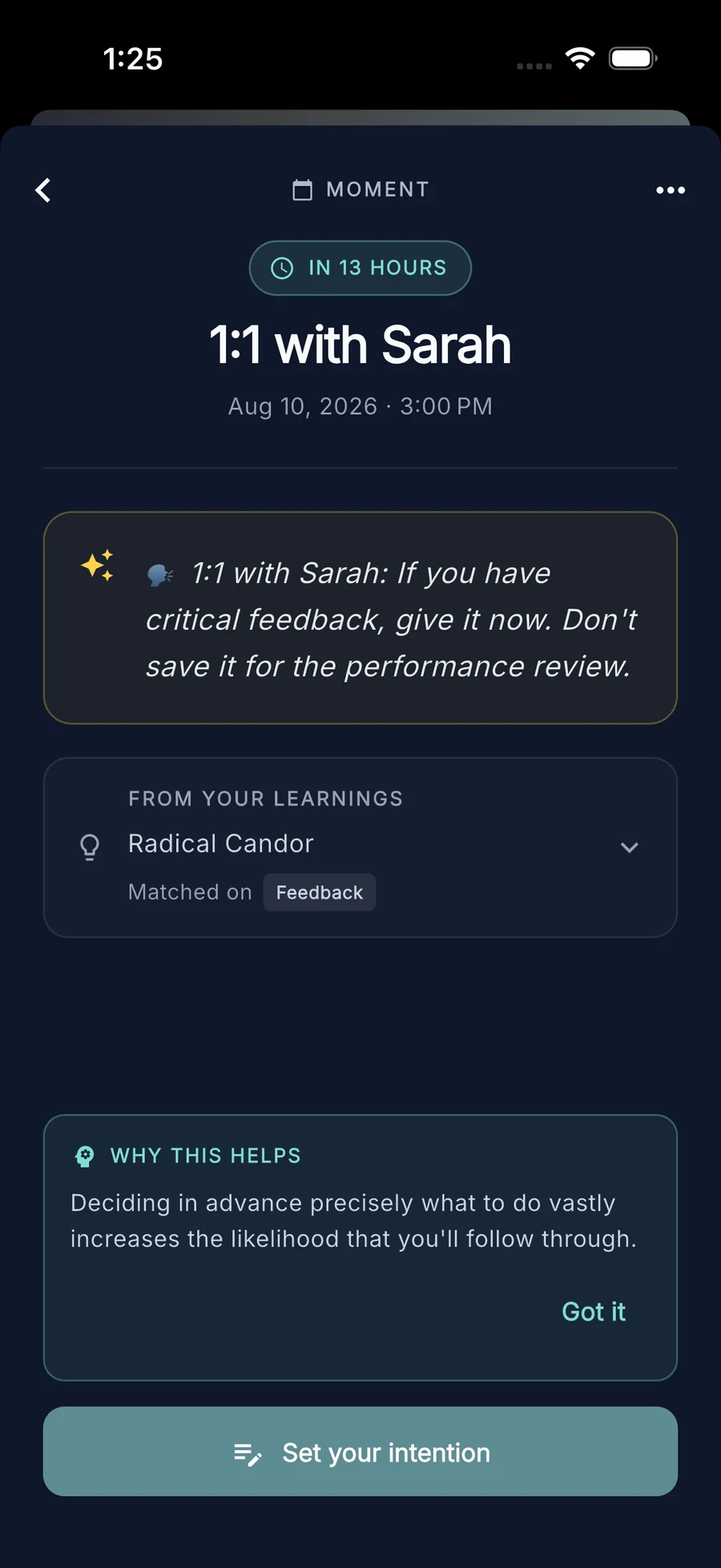
Say you saved an idea from Radical Candor about giving feedback early. Before your next 1:1, Instyll turns it into a Moment: one specific way to use that idea in that meeting, sent just before it starts.

If you have critical feedback, give it now. Don't save it for the performance review.
Was that reminder any use? Your answer decides which ideas come back and which ones rest.
Instyll writes each reminder for the event it belongs to, so the same saved idea reads differently before a 1:1 than before a team meeting.
FAQ
Who is Instyll for?+
Anyone who wants to actually use what they learn: professionals, students, or anyone building a new habit.
What calendars are supported?+
Right now, just Google Calendar. We're looking into adding more calendar apps in the future.
How many Moments will I get in a day?+
Up to three a day. You'll only get one when it truly fits your schedule, so some days you may get none.
What makes a good learning?+
Something specific you can act on. "Contribute something in every meeting, no matter how simple" works. "Be more engaged in meetings" is too vague.
Can I influence which events get Moments?+
Yes, by tagging your learnings. Tag one "1:1s" or "Presentations" and Instyll will lean toward matching it with events like those.
Can the same learning create more than one Moment?+
Yes. Instyll creates a few Moments from the same learning over a few weeks, in different situations. Repeating it is what makes it stick.
What can Instyll see in my calendar?+
Just your event titles, times, and descriptions, enough to find a match. It can't edit your calendar or see your email.
Can I delete my data?+
Yes, everything can be deleted anytime in the app settings.
Don't just take notes. Take action.
Save one idea you've been meaning to put into practice, connect your calendar, and see what turns up this week.